


Have you ever walked into a room and felt dwarfed by a magnificent architectural presentation board? You know, the kind that makes you question your life choices and wonder why you didn’t take that art class? Well, fear not. Today, we’re peeling back the layers on what makes an architecture presentation board shine. From essential components to common pitfalls, this guide will give architects, students, and design enthusiasts the tools they need to create their own design masterpieces. So, grab your sketchbook and let’s immerse.
What Is an Architecture Presentation Board?
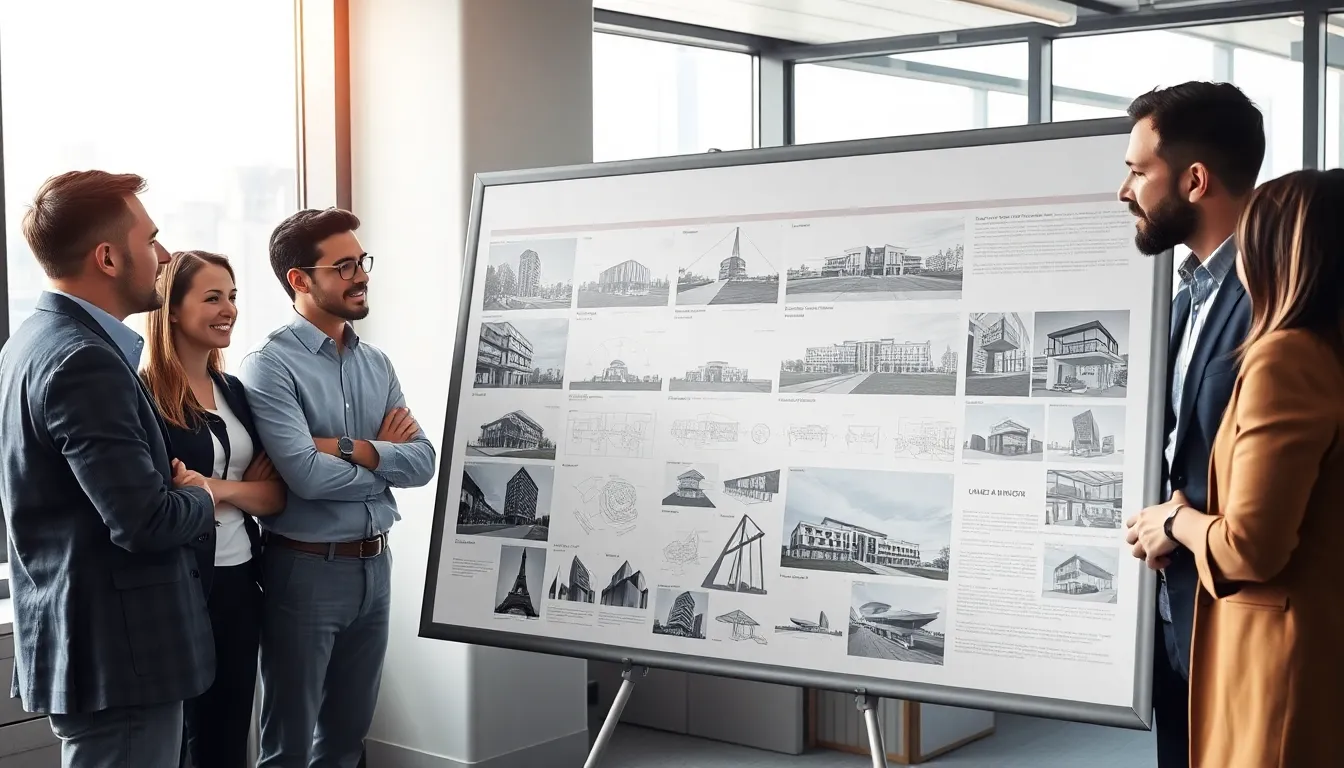
An architecture presentation board serves as a visual communication tool that effectively conveys design ideas and intentions. Think of it as a storyteller that narrates a building’s journey from conception to realization. Typically displayed during reviews, exhibitions, or client meetings, these boards combine plans, drawings, and images to present a cohesive vision. They serve not only as a showcase of architectural talent but also as a means to engage the audience, making complex concepts more digestible. In essence, if a picture is worth a thousand words, a well-crafted presentation board is worth at least ten thousand.
Key Components of an Effective Presentation Board
Creating an effective architecture presentation board involves several key components:
- Title and Project Description: The title should be captivating, drawing the viewer in immediately. A brief project description helps establish context, ensuring that your audience understands the scope and purpose of the design.
- Site Plan and Location Context: Show the relationship between the design and its surroundings. Illustrating the site helps ground your ideas and offers viewers geographical context.
- Floor Plans and Sections: These technical details are crucial. They provide insight into the layout and functionality of the spaces within the design. Clear and concise drawings make all the difference here.
- Elevation Drawings: Add visual interest by including elevation drawings that capture the aesthetic elements of the design. Showcase texture, materials, and other specifics that make the project unique.
- 3D Renderings and Visualizations: An engaging visual representation can make your project pop. Use renderings to give a realistic perspective that floor plans alone can’t convey.
- Material Palette and Color Schemes: Understandably, colors can influence emotions. Display your selected materials and color schemes to evoke the intended atmosphere of your design.
- Textual Annotations and Labels: Clear labeling guides the viewer through the board. Use annotations to effectively communicate your design choices and ideas without overwhelming textual information.
Design Principles for Architecture Presentation Boards
Several design principles can significantly enhance the effectiveness of an architecture presentation board:
- Hierarchy: Establishing a visual hierarchy helps guide the viewer’s eye through the various components. Highlight key information with larger fonts, bolder colors, or unique placements.
- Balance: Achieving balance involves distributing visual weight effectively across the board. Too much information on one side can create chaos: a well-balanced board brings harmony to the presentation.
- Proximity: Group related elements together. Proximity helps reinforce connections and allows the viewer to understand relationships between different sections of a project without confusion.
- Alignment: Maintain consistency in alignment to create a polished look. Whether using grids or margins, clean lines lead to a professional appearance, making the layout more digestible.
- White Space: Don’t underestimate the power of white space. Adequate spacing allows the eye to rest, helping to clear any clutter and focusing attention where it needs to be. This principle is crucial for readability and aesthetics.
Common Mistakes to Avoid
Creating a stunning architecture presentation board can be a challenge. Here are some common missteps to steer clear of:
- Overloading Information: Cluttered boards lead to confusion. Avoid cramming too much data into one board: instead, opt for a clear and concise message.
- Neglecting Audience Needs: Always keep your audience in mind. Tailor your presentation board to meet their expectations and comprehension level. Don’t rely solely on technical jargon that may alienate viewers.
- Poor Material Choice: The materials you choose for printing or presentation can significantly affect the board’s quality. Use high-resolution images and professional-grade paper for a polished look.
- Ignoring Feedback: Constructive criticism is invaluable. Presenting drafts to peers or advisors for feedback can lead to improvements that you might not have considered.
- Disregarding Consistency in Style: A sudden switch in fonts, colors, or styles can disrupt the flow of the presentation. Stick to a cohesive theme to maintain professional integrity throughout.
Tools and Software for Creating Presentation Boards
In the digital age, a variety of tools and software can aid in creating stunning architecture presentation boards:
- Adobe Creative Suite (Photoshop and InDesign): These applications allow for high-quality image manipulation and layout design. They offer flexibility and precision, making them ideal for professional presentations.
- SketchUp: Perfect for generating 3D models quickly. Users can export images and integrate them into their boards seamlessly.
- Canva: A user-friendly graphic design tool that’s fantastic for beginners. It offers a range of templates and easy-to-use features.
- Microsoft PowerPoint: Not just for slideshows, PowerPoint can be a surprisingly effective platform for creating simple presentation boards with a logical flow.
- AutoCAD: Essential for drafting precise architectural plans and details. Users can extract images directly from AutoCAD for use in presentation boards.
Tips for Presenting Your Architecture Board Effectively
Creating the perfect board is one thing: presenting it is another ballgame altogether. Here are some useful tips for an impactful presentation:
- Practice Makes Perfect: Rehearse your presentation multiple times. Familiarity breeds confidence, and it allows for smoother delivery.
- Engage with Your Audience: Make eye contact, ask questions, and encourage dialogue. An interactive presentation keeps the audience engaged and interested.
- Use Visual Aids: Supplement your board with verbal explanations, but be careful not to read from it directly. Visuals should enhance your narrative, not replace it.
- Manage Your Time: Respect your audience’s time. Keep your presentation succinct and focused, highlighting essential aspects without rambling.
- Be Open to Questions: Encourage questions after your presentation. It shows you’re confident in your work and are eager to discuss your design further.


