
In a world where privacy feels like a rare commodity, knowing how to call someone privately on an iPhone can be a game-changer. Imagine the thrill of making a call without revealing your number—like a secret agent on a top-secret mission, but without the tuxedo. Whether you’re planning a surprise party or just want to avoid unwanted callbacks, mastering this simple trick will keep your communications under wraps.
Understanding Private Calls
Private calling offers a way to communicate without revealing one’s phone number. This method ensures privacy while making calls, allowing individuals to maintain control over their personal information.
What Does Private Calling Mean?
Private calling refers to the practice of disguising your phone number when making a call. This means the recipient sees “private number” or “unknown caller” instead of your actual number. The feature prioritizes user confidentiality, ensuring that your identity remains hidden during voice communication. Many individuals prefer this approach for various reasons, including personal safety and added security.
Why Use Private Calling?
Using private calling serves several beneficial purposes. Protection from unwanted calls ranks highly among them. Individuals can enhance their privacy when contacting someone for the first time, like a job interview or personal matters. Moreover, this method proves helpful during surprise events, such as planning a party without disclosing details prematurely. Employing private calling establishes boundaries and keeps personal information secure from unwanted exposure.
How to Call Someone Private on iPhone
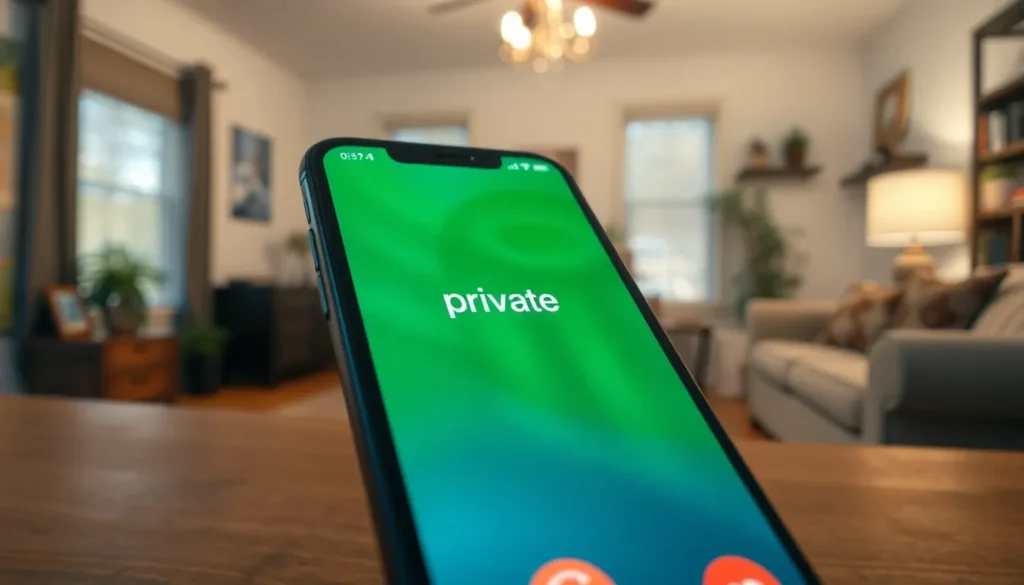
Making private calls on an iPhone enhances privacy during conversations. Users can adopt specific methods to keep their phone numbers confidential.
Method 1: Dialing *67
Dialing *67 before the phone number hides the caller ID. This method prevents the recipient from seeing the caller’s number. To use this feature, enter *67 followed by the ten-digit phone number. For example, *67 123-456-7890 ensures the call appears as “private” or “unknown” on the recipient’s screen. This approach offers a quick way to maintain anonymity when needed. It’s essential to remember that this method works for most calls but may not function on all networks.
Method 2: Adjusting Caller ID Settings
Adjusting caller ID settings allows users to block their number permanently or temporarily. Access the Settings app and navigate to Phone. In this section, select Show My Caller ID. Toggle the option off to prevent displaying the caller ID. This adjustment keeps numbers concealed during outgoing calls. Users can revert the setting at any time. It’s vital to note that some regions or carriers may restrict this option.
Tips for Effective Private Calling
Implementing effective private calling practices maximizes privacy and security during conversations. Users can benefit from understanding key strategies to safeguard their information.
Ensuring Privacy During Calls
Ensure proper call settings to maintain privacy. Use *67 before dialing the number to make it appear as “private” or “unknown” on the recipient’s end. Adjust the caller ID settings in the iPhone’s Settings app for more permanent options. Block the number either temporarily or permanently based on personal preference. Be aware that some carriers or regions might impose limitations on caller ID settings, leading to exceptions. Staying informed about these options enhances confidentiality and promotes secure communication.
When to Use Private Calling
Utilize private calling in various situations to protect personal information. Consider making private calls during job interviews to maintain anonymity. Use this feature when contacting clients or business associates to prevent unsolicited follow-ups. Planning surprises for friends or family members also calls for private communication. Lastly, when discussing sensitive subjects, such as health or financial matters, prioritize privacy by hiding your caller ID. Adopting these practices ensures discretion and reinforces confidentiality.
Common Issues and Troubleshooting
Navigating private calls on an iPhone may present some challenges. Understanding these common issues ensures smoother communication.
Unable to Call Private
Some users experience difficulties when attempting to place private calls. In some cases, dialing *67 before the phone number might not work due to carrier restrictions. Switching off the caller ID feature in settings often results in unexpected call display issues. Moreover, certain regions may prevent blocking caller ID altogether. If privacy settings remain unresponsive, checking with the carrier may provide necessary solutions or alternatives.
Other Caller ID Options
Exploring additional caller ID options enhances privacy and flexibility. For instance, users can find an option in their iPhone’s settings under “Phone” that allows them to hide their caller ID. Utilizing third-party apps also offers alternatives for masking numbers during calls. Some apps provide features that automatically hide caller identities for specific contacts. Evaluating these options can accommodate various needs while maintaining call privacy.
Mastering the art of private calling on an iPhone is essential for anyone who values their privacy. By using methods like dialing *67 or adjusting caller ID settings, users can effectively conceal their phone numbers. This not only prevents unwanted calls but also ensures sensitive conversations remain confidential.
Whether it’s for a job interview or planning a surprise, knowing how to make private calls empowers users to communicate with confidence. With the right techniques and awareness of potential issues, anyone can enhance their privacy and control over their personal information during phone calls. Prioritizing privacy in communication is a smart choice in today’s digital age.